The typography you choose for a law firm sends an immediate message about your practice before a single word is read. Professional font pairings for law firm logo and website design establish trust, convey authority, and ensure your digital content is easy to read. When potential clients visit your site or see your letterhead, the right combination of typefaces tells them you are established, detail-oriented, and accessible.
What makes a legal font pairing work?
A strong legal brand relies on balancing traditional serifs with clean sans-serifs to create a clear visual hierarchy. Serif fonts carry a sense of history and reliability, making them ideal for logos and main headings. Sans-serif fonts offer excellent legibility on screens, making them the standard for website body text. By contrasting these two styles, you guide the reader's eye naturally from your firm's name down to the details of your legal services.
For example, classic typefaces like Helvetica have been used for decades in corporate branding because of their neutral, highly readable structure. Pairing a modern interpretation of a classic sans-serif with a structured serif gives your firm a polished, professional appearance without looking outdated.
Which font combinations actually work for law firms?
Different practice areas benefit from slightly different visual tones. Here are three practical pairings that work well across digital and print materials.
Boutique and High-End Practices
Pairing Playfair Display for your logo and headers with Lato for website paragraphs creates an upscale, boutique feel. The high contrast of the serif draws the eye, while the geometric sans-serif keeps the reading experience smooth and modern.
Family Law and Estate Planning
For a more approachable practice, Merriweather paired with Open Sans works beautifully. Merriweather was designed specifically for screens, ensuring your legal articles and blog posts remain highly readable, while Open Sans feels friendly and open.
Corporate and Litigation Firms
Corporate firms often benefit from the sharp, authoritative look of Cormorant Garamond combined with Montserrat. This combination feels deeply established and serious, projecting the kind of weight and tradition expected in high-stakes litigation.
What are the most common typography mistakes law firms make?
Many practices ruin their visual identity by using three or four different typefaces across their marketing materials. Stick to two fonts: one for headings and logos, and one for body text. Adding a third font usually just clutters the design.
Another frequent error is choosing two fonts that look almost identical. Pairing two standard serifs or two basic sans-serifs creates visual confusion rather than contrast. You want the heading to stand out clearly from the paragraph text.
Finally, failing to consider selecting authoritative typography that loads quickly can hurt your website's performance. Heavy, unoptimized font files will slow down your pages, frustrating mobile users and negatively impacting your search engine rankings.
How do you apply these fonts across your logo and website?
Consistency is the key to making your chosen pairings work. When mapping out your legal practice brand identity, define exact rules for font weights and sizes. Use the bold or semi-bold weights of your serif font for main page titles and your logo. Use the regular or light weights of your sans-serif font for paragraphs.
Pay close attention to line height and spacing. For body text on your website, set the line height to at least 1.5 times the font size. This provides enough white space between lines to make long legal explanations comfortable to read. Never use your decorative heading font for long blocks of text, as the intricate details of serif fonts become muddy at small sizes.
Practical checklist for finalizing your law firm typography
Before launching your new branding or website redesign, run through this quick checklist to ensure your typography is ready for the public.
- Check contrast: Ensure your heading font and body font look distinctly different from one another in both style and weight.
- Test mobile readability: View your website on a smartphone to confirm the body text is large enough to read without zooming.
- Verify licensing: Confirm you have the correct commercial web licenses for all fonts used on your live site.
- Limit font weights: Restrict your brand guidelines to three or four specific weights (e.g., regular, semi-bold, bold) to keep the design clean.
- Optimize loading: Use modern web font formats like WOFF2 and only load the specific character sets and weights you actually use.
 Selecting Authoritative Fonts for Legal Brands
 Font Pairings That Build Trust for Attorney Sites
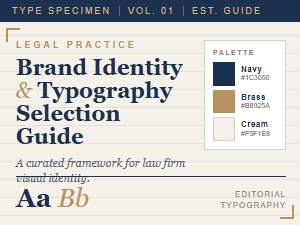 Font Selections for Law Firm Branding
 Serif and Sans-Serif Pairings for Corporate Branding
 Researching Classic Script Fonts for Attorney Logos
 A Professional Guide to Classic Script Fonts for Law Firms