When a potential client lands on a law firm's website, they make a split-second judgment about the firm's credibility. Cluttered layouts and overly decorative text signal disorganization, while clean, deliberate typography suggests precision and competence. Conveying trust with minimalist legal site fonts matters because it strips away visual noise, allowing your expertise and messaging to take center stage. A well-chosen, simple typeface tells visitors that you are modern, focused, and detail-oriented before they even read about your practice areas.
What makes a legal font look trustworthy and minimalist?
Trustworthy legal typography relies on high legibility, neutral styling, and generous spacing. Minimalist fonts avoid heavy ornamentation, relying instead on clean lines and consistent stroke widths. When deciding between traditional and modern typefaces for your firm, you will notice that serif fonts often convey heritage and authority, while sans serif options project a forward-thinking, approachable image. Both can work beautifully in a minimalist design as long as they remain highly readable on screens of all sizes and avoid unnecessary decorative flourishes.
Which specific fonts work best for a clean law firm website?
Picking the right typeface prevents your site from looking like a generic template. For body text, you need something that reduces eye strain during long reads. Lora is a well-balanced serif that feels contemporary but retains a classic legal authority. If you prefer a cleaner, more geometric look for your headers, Montserrat provides excellent weight variations without feeling heavy. For a highly readable, neutral sans serif that works seamlessly across devices, Inter is a favorite among web designers for its crisp screen rendering and professional tone.
How should you pair fonts for attorney profiles and practice areas?
Mixing too many typefaces creates visual chaos, which immediately undermines the minimalist aesthetic. Stick to two fonts: one for headings and one for body copy. When choosing the right text styles for your team pages, a clean sans serif for the attorney's name paired with a highly legible serif for their biography creates a clear visual hierarchy. This contrast guides the reader’s eye naturally from the lawyer's credentials down to their specific experience, education, and contact information without causing distraction.
What are the most common typography mistakes law firms make?
Even a beautiful font will fail if it is implemented poorly. The most frequent mistake is using text that is too small. Legal websites often contain dense information, and forcing 12-pixel text into a narrow column frustrates visitors. Another issue is poor color contrast, like placing dark gray text on a light gray background. Minimalist design relies on sharp contrasts, such as deep charcoal text on a pure white or off-white background, to keep the reading experience comfortable. Finally, using too many font weights like mixing light, regular, medium, semi-bold, and bold on a single page makes the layout look messy and unprofessional.
How does minimalist typography improve the overall user experience?
Good typography does not exist in a vacuum; it interacts directly with the white space around it. Giving your text room to breathe reduces cognitive load, making complex legal concepts much easier to digest. When you commit to adopting a streamlined visual approach for your entire site, the minimalist fonts act as a quiet guide. They do not shout for attention. Instead, they present your case results, client testimonials, and contact forms clearly, allowing the content itself to build trust with the reader.
Next steps to audit your legal website typography
Before hiring a designer or changing your website theme, run through this practical checklist to evaluate your current font setup:
- Check your base font size: Ensure your body text is at least 16px to 18px for comfortable reading on desktop and mobile devices.
- Measure your line height: Set your line spacing to at least 1.5 times the font size to prevent text blocks from looking cramped.
- Count your font families: Limit your entire website to a maximum of two distinct typefaces to maintain a clean, minimalist look.
- Test your color contrast: Use a free online contrast checker to ensure your text meets WCAG accessibility standards against your background color.
- Review your font weights: Restrict your usage to just regular and bold weights to keep the visual hierarchy simple and effective.
 Modern Sans-Serif Fonts for Law Firm Websites
 The Best Sans-Serif Fonts for Attorney Bios
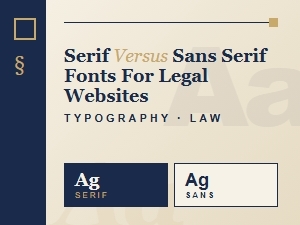 Choosing Sans-Serif Fonts for Legal Website Design
 Accessible Sans-Serif Fonts for Legal Websites
 Selecting Authoritative Fonts for Legal Brands
 Font Pairings That Build Trust for Attorney Sites