The typography on a legal website sets the tone before a potential client reads a single word about your practice areas. While traditional serif fonts like Times New Roman project a classic, authoritative feel, modern law firm website sans serif typography signals approachability, clarity, and forward-thinking professionalism. When visitors land on your site, they need to read complex legal information quickly and comfortably on their phones or desktops. Clean, unadorned letterforms reduce visual clutter and keep the focus entirely on your legal services.
What makes a sans serif font feel right for a legal practice?
Not all sans serifs are created equal. A highly geometric typeface might look great for a tech startup but feel too cold for a family law practice. Humanist sans serifs, which have subtle variations in stroke width, often work best for legal branding because they feel more approachable and empathetic. You would choose these clean typefaces when your goal is to make intimidating legal processes feel more accessible to everyday people. For instance, a personal injury firm might use a humanist typeface to appear more compassionate, while a corporate mergers and acquisitions firm might lean toward a structured neo-grotesque to project precision.
How do you pair fonts without making the site look messy?
Mixing too many typefaces is a common mistake in legal web design. Stick to two fonts at most: one for headings and one for body text. If you choose a bold, distinctive sans serif for your headlines, use a highly legible, neutral sans serif for your paragraphs. When building a minimalist legal site layout, letting the typography breathe with generous line height and adequate margins does more for your brand than adding heavy graphics. A great pairing might be using Montserrat for bold, authoritative headers and Open Sans for highly readable body copy.
Will these fonts work for attorney profiles and case results?
Attorney profile pages require a delicate balance. The text needs to highlight credentials and experience without looking like a dense academic paper. When formatting individual lawyer biographies, a modern sans serif keeps the text airy and easy to scan. Use slightly heavier font weights for the attorney's name and practice focus, then drop to a regular weight for their educational background and case history. This visual hierarchy guides the reader's eye naturally through the profile.
Are modern sans serifs accessible for all website visitors?
Readability is not just about aesthetics. It is a legal requirement for your own website. Ensuring your digital presence meets accessibility standards means checking how your chosen typefaces render for users with visual impairments. You must pay close attention to meeting accessibility standards with your web typography by checking color contrast ratios and avoiding ultra-thin font weights that disappear on bright screens. According to the Web Content Accessibility Guidelines, text must have a minimum contrast ratio of 4.5:1 against its background to be easily readable by the general public.
What are the biggest typography mistakes law firms make?
Even a beautifully designed legal site can fail if the typography is poorly executed. Avoid these common missteps when updating your web fonts:
- Using ultra-light font weights for body text. They look sleek on a designer's high-resolution monitor but become illegible on a mobile phone in direct sunlight.
- Setting line spacing too tight. Legal explanations are often long and complex. Cramped lines cause eye fatigue and make visitors leave the page before finishing the text.
- Relying on all-caps for long paragraphs. Capital letters are fine for short navigation menus or section headers, but they slow down reading speed significantly in longer blocks of text.
- Ignoring mobile rendering. A font that looks crisp on a desktop might render with blurry edges on smaller screens if it is not properly optimized for web use.
Next steps for your website typography update
Before launching your redesigned legal website or pushing new CSS changes live, run through this quick typography check to ensure everything functions properly for your potential clients:
- Test your body text on a smartphone at arm's length to ensure it is readable without zooming.
- Verify that your primary text color and background color pass a standard WCAG contrast checker.
- Check that your line height is set to at least 1.5 for all paragraph text to prevent cramping.
- Review your attorney bios to confirm the font weights create a clear, logical visual hierarchy.
- Load the site on three different browsers to confirm the web fonts render consistently across platforms.
 The Best Sans-Serif Fonts for Attorney Bios
 Choosing Minimalist Sans-Serif Fonts for Legal Trust
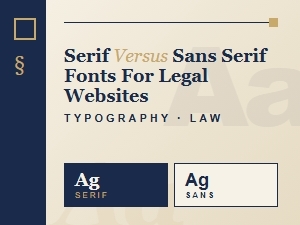 Choosing Sans-Serif Fonts for Legal Website Design
 Accessible Sans-Serif Fonts for Legal Websites
 Selecting Authoritative Fonts for Legal Brands
 Font Pairings That Build Trust for Attorney Sites