Choosing the right typography for a legal practice goes beyond aesthetics. When potential clients visit your website, they are often stressed and looking for clear information. If your text is hard to read, they will leave. ADA compliance for sans serif fonts on law sites ensures that visitors with visual or cognitive disabilities can actually read your content. Sans serif typefaces are generally easier to read on screens, but picking a modern font is only the first step. You still need to format it correctly to meet web accessibility standards.
What makes a sans serif font ADA compliant?
The Americans with Disabilities Act does not list specific approved typefaces. Instead, compliance relies on the Web Content Accessibility Guidelines (WCAG). A font meets these standards when it is legible, distinguishable, and properly spaced. When selecting clean typography for your practice, look for sans serif options with distinct character shapes. Letters like uppercase I, lowercase l, and the number 1 should look different from one another. Open apertures the gaps in letters like 'c' or 'e' also help prevent characters from blurring together for users with low vision.
Which sans serif fonts work best for legal websites?
Not every modern typeface is built for accessibility. Highly stylized or ultra-thin weights fail screen readers and strain the eyes. You want reliable, highly legible options. Open Sans is a great choice because of its wide stance and clear letterforms. Roboto offers a mechanical skeleton that keeps text grounded and easy to scan. Lato provides a warm, approachable feel without sacrificing readability. You might also consider Inter, which was specifically designed for computer screens and excels at high legibility in small sizes. These options align well with standard visual presentation criteria for text spacing and contrast.
How should you format text to meet accessibility standards?
Picking an accessible typeface is only half the job. The way you style the text on the page dictates whether it actually passes an accessibility audit. First, set your base body text to at least 16 pixels. Anything smaller forces users to zoom in. Second, maintain a contrast ratio of at least 4.5:1 for normal text and 3:1 for large text. Dark gray text on a white background often works better than pure black on pure white, which can cause screen glare. Finally, pay attention to line height and spacing. Building a minimalist design that projects authority works best when you give the text room to breathe. Set line height to at least 1.5 times the font size, and ensure paragraph spacing is at least 2 times the font size.
What are the most common typography mistakes law firms make?
Many legal websites fail accessibility tests because of formatting choices rather than the font itself. Here are the most frequent errors:
- Using ultra-light font weights: Thin strokes disappear on lower-resolution screens and fail contrast checks.
- Justifying text: Aligning text to both the left and right margins creates uneven spacing between words, which disrupts reading flow for people with dyslexia.
- Disabling user zoom: Some developers lock the viewport scale to keep the mobile layout intact. This violates WCAG rules because it prevents visually impaired users from enlarging the text.
- Poor link styling: Relying only on color to indicate a hyperlink. Always use an underline or a distinctly different visual cue so colorblind users can identify links.
How do you test your legal site for font accessibility?
You cannot guess if your site is compliant; you have to test it. Start by running your pages through automated tools like the WAVE browser extension or Axe DevTools. These will flag obvious contrast failures and missing structural tags. However, automated tools miss nuance. You also need to do manual testing. Zoom your browser to 200% and check if the text overlaps or breaks the layout. Try navigating the site using only a keyboard. If you are reviewing your complete accessibility setup, turn on a screen reader like NVDA or VoiceOver to hear how the text is actually announced to blind users.
Your next steps for accessible legal typography
Fixing typography issues is one of the fastest ways to improve your site's user experience and reduce legal risk. Use this quick checklist before launching your next design update:
- Audit your current font family and swap out any highly stylized or thin-weight typefaces for standard, legible sans serifs.
- Check your CSS to ensure base body text is 16px or larger.
- Run a color contrast checker on your text and background combinations.
- Remove any code that blocks user zooming on mobile devices.
- Left-align all body paragraphs and set line-height to 1.5 or higher.
Making these adjustments ensures your firm's digital presence is welcoming to every potential client, regardless of their visual abilities.
Explore Design Modern Sans-Serif Fonts for Law Firm Websites
 The Best Sans-Serif Fonts for Attorney Bios
 Choosing Minimalist Sans-Serif Fonts for Legal Trust
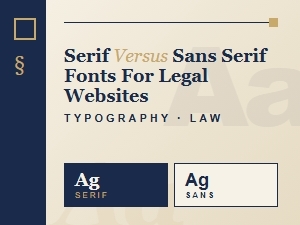 Choosing Sans-Serif Fonts for Legal Website Design
 Selecting Authoritative Fonts for Legal Brands
 Font Pairings That Build Trust for Attorney Sites